
OPTECHFY · QUICKBOOKS PHILIPPINES
Client Presentation
Waiting for participants
Please keep your microphone muted until the session begins.
Presenter: press → when ready
Agenda
Table of Contents
Click any topic to jump ahead — or follow along in order.
About Us
Who is OPTECHFY?
Accounting software, implementation, and support for Philippine businesses.
What We Do · 1 of 2
What We Provide
Software, implementation, and support — from license to go-live.
QuickBooks Desktop
- Premier & Enterprise licenses
- Genuine Intuit products
- BIR CAS applicable
Implementation
- Installation & company file setup
- Chart of accounts & opening balances
- 2–4 weeks typical go-live
Training
- Classroom & hands-on sessions
- Go-live & live-operation training
- Accountant & end-user tracks
Data Setup & Conversion
- Excel & legacy system migration
- Customer, vendor & item lists
- Bulk import & validation
What We Do · 2 of 2
What We Provide
Add-ons, customization, and ongoing support after go-live.
3rd-party Add-ons
- Check & voucher printing
- Official receipt (OR) system
- BIR Form 2307 generation
Form Customization
- Invoices, POs & sales forms
- Company-branded templates
- BIR-compliant layouts
Custom Software
- QuickBooks API integration
- Workflow automation
- Industry-specific tools
Technical Support
- 1-year support included
- Onsite & remote assistance
- Mon–Fri 8:00 AM – 5:00 PM
The Challenge
Philippine Businesses' Common Pain Points
Spreadsheets and manual processes create gaps that slow decisions, weaken control, and complicate BIR compliance.
Repeat Entries
Manual encoding across Excel and paper leads to duplicates and no single source of truth.
Cash Flow Gaps
Late bill recording, duplicate payments, and weak A/P scheduling hurt working capital.
Multibranch Accounting
Inconsistent books across branches and difficulty consolidating nationwide operations.
Delayed Reports
Month-end close takes too long when data is scattered and manually compiled.
Misclassification
Wrong chart of accounts, VAT, and EWT mapping triggers audit and reporting errors.
No Real-Time Insights
Owners and finance teams lack up-to-date A/P, A/R, and profitability visibility.
BIR Compliance · 1 of 4
What is BIR e-Invoicing?
The BIR Electronic Invoicing/Receipting and Sales Reporting System (EIS) receives sales and invoice data electronically from covered taxpayers.
Electronic Sales Reporting
Covered taxpayers transmit invoice and sales data to BIR’s EIS instead of relying only on paper or offline records.
EIS Certification
Taxpayer-developed middleware or software that connects to EIS must go through BIR’s certification process and technical requirements.
Invoice is Primary
Under EOPT changes, the Invoice — not the Official Receipt — is the primary sales document for goods and services (RR 11-2024).
BIR Compliance · 2 of 4
Who Needs to Comply?
Covered taxpayers have until December 31, 2026 to comply with electronic invoice issuance.
E-commerce / Internet
Small, Medium, and Large taxpayers engaged in online transactions
Large Taxpayers (LTS)
Taxpayers under the Large Taxpayers Service
RA 11976 / RR 8-2024
Large taxpayers covered under these rules
CAS / CBA Users
Taxpayers using computerized accounting systems with accounting records
Other Invoicing Software
Taxpayers using third-party or custom invoicing systems
Micro E-commerce Exempt
Micro taxpayers in e-commerce are specifically exempted from this category
Later coverage once BIR system capacity allows: exporters, registered business enterprises with tax incentives, POS users, and others as required by the Commissioner.
BIR Compliance · 3 of 4
01 · Generate a BIR-compliant invoice
Your ERP / accounting system must produce a complete electronic invoice — not just a printable form. These fields become the source data for EIS transmission.
Seller information
- Registered business name
- TIN and branch code
- Business address
- VAT / tax type registration where required
Buyer information
- Buyer registered name / customer name
- Buyer TIN (when required)
- Buyer address and contact details
- Customer type / classification as applicable
Invoice document
- Unique invoice number / series
- Invoice date and time stamp
- Document type (Invoice as primary sales document)
- Reference / related documents when needed
Line items
- Description of goods or services
- Quantity and unit of measure
- Unit price
- Line discounts and net amount
Tax amounts
- VAT amount and VAT treatment
- Withholding tax where applicable (EWT)
- Other tax / exemption markers if required
- Taxable vs exempt / zero-rated split
Totals & controls
- Invoice total amount
- Other required invoice information per RR rules
- Validation before finalize / lock
- Immutable issued record for audit
Official Receipt is no longer the main concept. Under EOPT / RR 11-2024, the Invoice is the primary document for sales of goods and services. CAS, POS, and e-invoicing systems must be reconfigured around invoices — not legacy OR-centric workflows.
BIR Compliance · 4 of 4
02 · Transmit sales data to BIR
Generating the invoice is only half of compliance. BIR’s EIS infrastructure must receive the electronic sales/invoice data. Middleware or connector software used for this purpose needs BIR EIS Certification and must meet technical requirements.
Payload & mapping
- Map ERP invoice fields to BIR-required XML/JSON structure
- Include seller, buyer, lines, tax, and totals
- Reject incomplete invoices before transmission
- Version payloads as BIR specs evolve
EIS certification
- Taxpayer-developed middleware/software must be certified
- Follow BIR technical requirements for EIS connectivity
- Use certified connector in production environments
- Maintain evidence of certification for audits
Response & audit trail
- Store transmission success / failure responses in ERP
- Keep timestamps, reference IDs, and error messages
- Support resubmission / correction workflows
- Preserve history for BIR audit and internal control
Architecture to plan for: ERP → Invoice → BIR-required XML/JSON → EIS/API → BIR → transmission response → ERP. Printing or storing an invoice locally without EIS transmission does not complete e-invoicing compliance for covered taxpayers.
CAS BIR Application · 1 of 2
QuickBooks + BIR CAS
If a Philippine company uses QuickBooks Desktop as its computerized accounting system, the taxpayer may need to register that CAS with the BIR — depending on its circumstances and the applicable BIR rules.
Company uses QuickBooks
QuickBooks maintains accounting records, books, and reports as the company’s computerized accounting system.
Register the CAS with BIR
The taxpayer submits the required CAS/CBA registration information and supporting documents through the applicable BIR process.
BIR records the system
Registration identifies the taxpayer’s computerized accounting system and its relevant components.
Maintain the registered system
Keep accounting records and system documentation available for BIR examination and ongoing compliance.
CAS = Computerized Accounting System. CBA = Computerized Books of Accounts. QuickBooks Desktop can serve as the company’s registered CAS when the taxpayer completes BIR registration for its own implementation.
CAS BIR Application · 2 of 2
Who registers — and who is responsible?
You do not register QuickBooks globally with BIR. The taxpayer/company using QuickBooks is responsible for registering its computerized accounting system.
Example
ABC Trading uses QuickBooks Desktop Enterprise 2024. The BIR registration is for ABC Trading’s computerized accounting system, which uses QuickBooks — not a blanket BIR approval that says “QuickBooks is BIR-approved for everyone.”
| Item | Who is responsible? |
|---|---|
| QuickBooks license | Your customer |
| CAS registration | Your customer |
| BIR compliance | Your customer |
| QuickBooks installation / setup | You can assist |
| Chart of Accounts setup | You can assist |
| Data migration | You can assist |
| BIR-required documentation | You can help prepare |
| BIR registration submission | Customer / authorized representative |

What is QuickBooks?
Invoicing, inventory, and financial reporting in one system.
Core Features
QuickBooks Modules
Four core modules that run your day-to-day accounting in one desktop system.
Accounts Payable
- Bills & vendor payments
- Expense tracking & EWT
- Payment schedules
Accounts Receivable
- Invoices, estimates & sales receipts
- Customer payments & aging
- Statement of account
Banking
- Bank deposits & transfers
- Check register & reconciliation
- Import / bank feed rules
Company
- Chart of accounts & preferences
- Users, roles & permissions
- Financial statements & reports
Products · 1 of 2
QuickBooks Desktop — Premier vs Enterprise
| Feature | Premier Desktop | Enterprise Desktop |
|---|---|---|
| Starting price (intro PH) | One-time license | Subscription |
| Typical users | Up to 5 | 30+ layered access |
| Company files | 1 | Multiple · consolidation options |
| Works offline (desktop install) | ||
| Cloud · phone / browser | — | — |
| Inventory & tracking | Full · Industries | Advanced · FIFO, lots & serials |
| Sales orders & job costing | ||
| Industry-specific tools |
Products · 2 of 2
QuickBooks Desktop — Premier vs Enterprise
| Feature | Premier Desktop | Enterprise Desktop |
|---|---|---|
| Reports | 150+ | 200+ customizable |
| User roles & permissions | Standard | Enterprise-grade |
| PH tax & BIR-ready setup | Baseline + | VAT · EWT · CAS alignment |
| Bank feeds (automatic) | Import / rules | Import / rules |
| Package: training sessions | 2 | 3 |
| Package: company setup | 1 | 2 |
| Package: form customization |
Integrations
3rd Party Systems
BIR-ready add-ons that connect directly with QuickBooks Desktop.
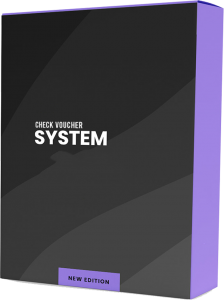
Check Voucher
- Print vouchers from QuickBooks checks
- Approval trail for disbursements
- Audit-ready payment documents
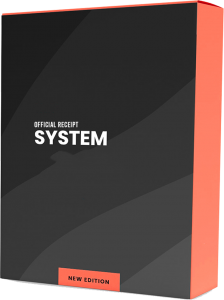
OR System
- Official receipt generation
- Sales collection tracking
- BIR-formatted output
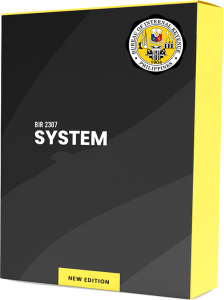
BIR 2307
- Automated Form 2307 creation
- EWT & withholding compliance
- Vendor certificate management
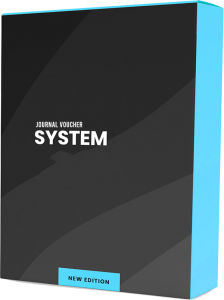
Journal Voucher
- JV printing from GL entries
- Supporting docs for adjustments
- Consistent approval workflow
Reports
Sample Reports
Click any report to view full size.
Our Clients
Clients Who Trust Us
Leading Philippine organizations across food service, energy, and enterprise.



Project Timeline
Implementation Timetable
Business days (Mon–Fri)
| # | Phase | Duration (days) | Start | Target end |
|---|
LIVE WALKTHROUGH
QuickBooks Desktop Demo
We'll now switch screens to a live QuickBooks session — real workflows, real reports.
Loading QuickBooks…
Please hold questions — Q&A after the demo.
Presenter: share QuickBooks window when ready